


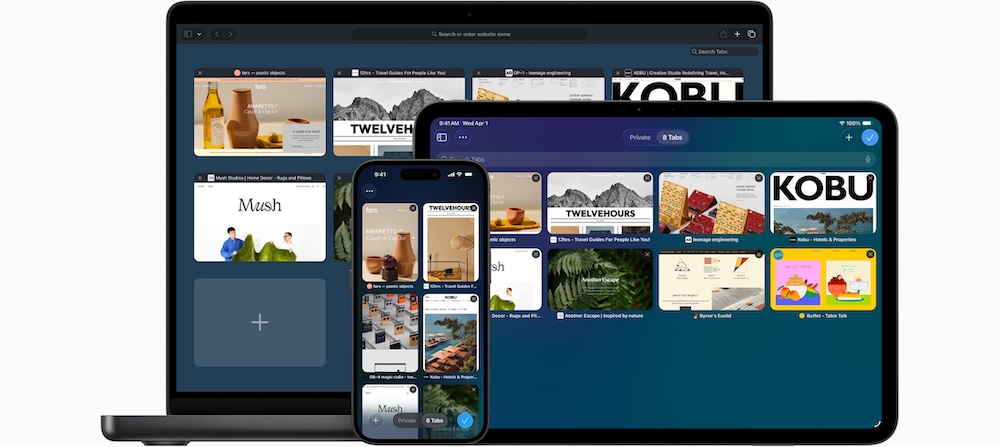
Apple has packed Safari with privacy tools, security features, productivity shortcuts, and device-syncing capabilities that can make everyday browsing faster and safer at its latest update.
Here are 10 things users can expect from Safari:
1. Strong privacy protection
Privacy remains one of Safari’s biggest selling points. Intelligent Tracking Prevention helps stop advertisers and websites from following users across the internet and building detailed profiles based on browsing habits. Private Browsing locks browsing windows when they are not in use.
2. Separate profiles for work and personal use
Safari Profiles allows users to keep work and personal browsing separate. Each profile can have its own history, bookmarks, cookies, extensions, and tab groups, making it easier to stay organized.
3. Websites that work like apps
Users can save favorite websites to the Dock on Mac or the Home Screen on iPhone and iPad. These web apps open in their own window and provide an experience similar to using a dedicated app.
4. Faster browsing and better battery life
Safari is designed specifically for Apple devices, allowing it to make better use of hardware resources. This helps deliver faster browsing while using less battery power compared to many competing browsers.
5. Support for 4K video streaming
Streaming fans can watch content in 4K HDR from services such as YouTube, Netflix, and Apple TV+ directly in Safari. The browser is also optimized to stream efficiently, helping extend battery life.
6. Better tab management
People who regularly keep dozens of tabs open can organize them into Tab Groups. These groups can be named, edited, synced across devices, and even shared with family, friends, or work teams.
7. More ways to customize the browser
Users can personalize Safari with custom backgrounds, favorite tools, Reading Lists, iCloud Tabs, and third-party extensions available through the App Store.
8. Built-in productivity tools
Safari includes features that reduce the need to switch between apps. Users can instantly translate entire web pages, take Quick Notes while browsing, and interact with text found inside images or videos.
9. Smarter image recognition
Safari can identify landmarks, artwork, plants, animals, and other objects found in photos online. Users can also lift subjects from images, remove backgrounds, and paste them into other apps.
10. Stronger security and seamless syncing
Safari supports passkeys, a newer sign-in method designed to be more secure than traditional passwords. It also warns users about suspicious websites and automatically upgrades connections to secure HTTPS versions when available.
Everything syncs across Apple devices, including bookmarks, passwords, tabs, and browsing history. Features like Handoff allow users to start browsing on one device and continue on another without interruption.
