


Its colorful citrus finish caught her attention first. The MacBook Neo she bought in June was portable and light enough to carry to school and could run the apps she already used for work.
Agatha Perido, a Teacher II who teaches Chemistry class for Grade 11 at Parañaque National High School – Main said she uses the Neo to create PowerPoint presentations and work in Excel.
“Handy din kasi siya, maliit lang so dinadala ko siya sa school. Ito ’yung ginagamit ko for work,” she said.

Perido bought her own Neo before the Department of Education (DepEd) procured laptops for public school teachers; her experience rather shows how the switch from Windows may show up during the school day, from copying text into a lesson plan to connecting the Neo to a classroom projector.
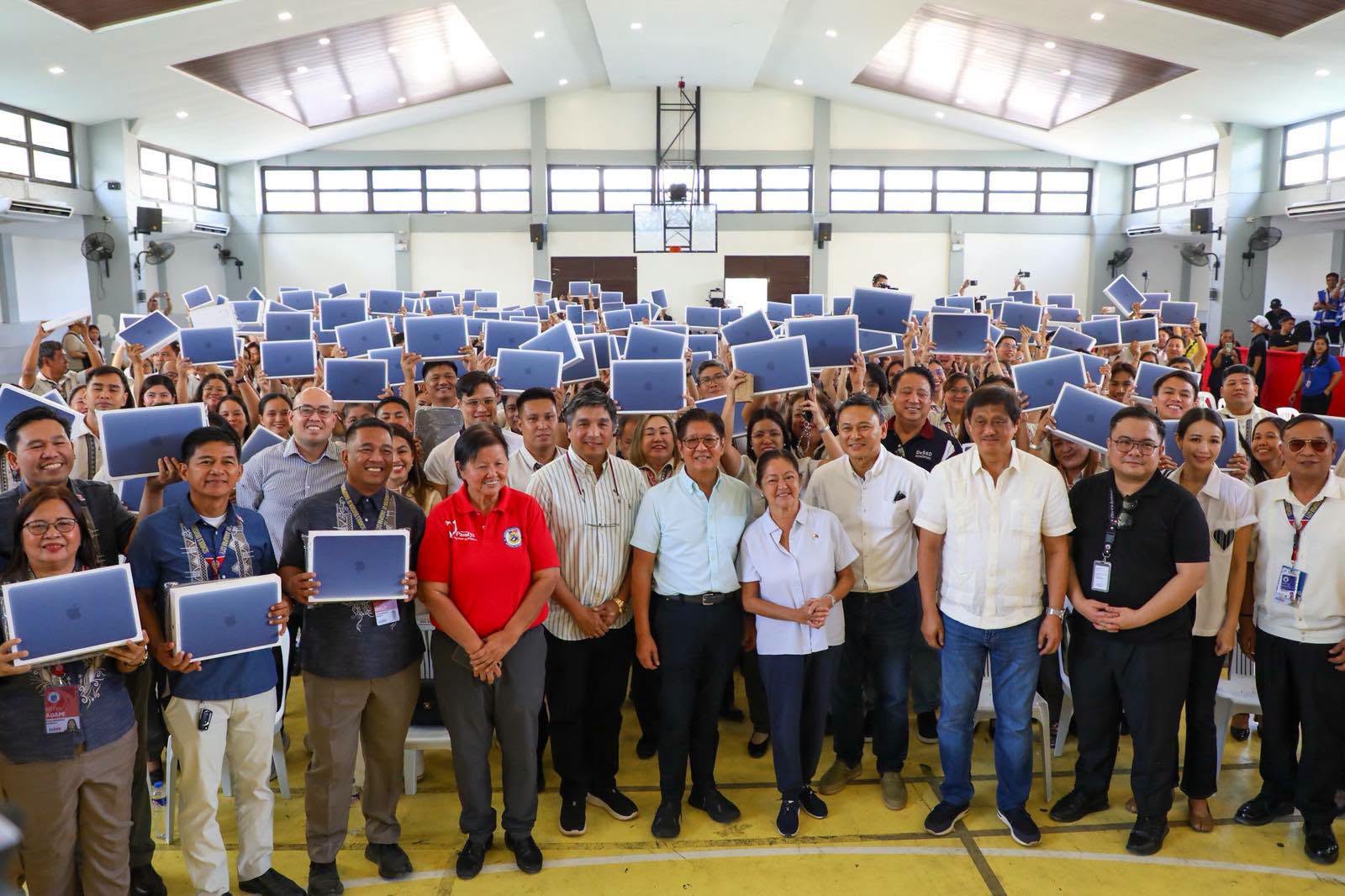
With the DepEd’s first nationwide rollout in Dagupan City, it has distributed over 209 MacBook Neo units to 10 schools on Nov. 9.
Under its bidding for its latest computerization project, it has procured 172,654 MacBook Neo units, of which 169,008 are for teachers and 3,646 are for administrative staff. Distribution will continue from November 2026 through March 2027.
DepEd said each unit it purchased cost about Php 43,000 or Php 6,900 below the model’s Philippine retail price. The package also includes a five-year warranty and training from Apple’s GuroXL program to guide teachers to using the laptop in their lessons.
Before class, from lesson plan to slides
A teacher new to the Neo will notice the change immediately when they try to copy text. On a Windows laptop, the shortcut is Ctrl+C. On a Mac, the symbol is different; it’s Cmd+C. The same switch applies when trying to paste a text into a PowerPoint slide.
“Siguro sa umpisa lang kapag hindi ka talaga MacBook user, medyo maninibago ka,” Perido said.
She added that the Neo’s speed is about the same as her previous, which was also a recent model.
“Hindi siya nagla-lag, mabilis lang kahit sabay-sabay ’yung pag-o-open nung documents,” she said.
The Neo’s A18 Pro, a six-core processor chip, first used in the iPhone 16 Pro, comes with five graphics cores and 8GB of memory in the laptop. It is geared for everyday tasks such as writing documents, browsing the web and editing videos as well.
A teacher navigating through a lesson plan, a slide deck and grading sheets that workload is best ideal.
When it’s time to show the slides
A finished PowerPoint presentation still has to make it onto the classroom screen. Most projectors use an HDMI port, which the Neo doesn’t have. A teacher would have to use a USB-C-to-HDMI cable or an adapter.
The Neo has two USB-C ports, but only the faster USB 3 port can send video to an external display.
“So ’yun, may kailangan ka pang isang device,” Perido said of connecting the laptop to a TV or projector.
The Neo weighs 1.23 kg, which makes it easy to carry between rooms. Its own screen is a 13-inch Liquid Retina display rated at up to 500 nits of brightness.
If the next class is online
The Neo is ranked fourth in DxOMark’s laptop rankings, an independent French benchmarking company, with an overall camera score of 98.
In online classes, the built-in 1080p webcam allows teachers to join a call without needing to set up a separate camera.
In DxOMark’s video-call test, the Neo’s webcam is good in dim rooms and keeps faces lit, but some brighter areas lost detail.
They can share the same slides they prepared earlier, though a live class with the camera on is a different workload from Apple’s battery tests.
Apple rates the Neo for up to 11 hours of wireless web browsing or 16 hours of video streaming. Perido said the battery seemed to last longer than her previous laptop’s, though how long a charge lasts will depend on what teachers do throughout the day.
At Perido’s school, teachers had already received a survey asking whether they had been issued laptops before. She said she had yet to hear when her school would get the new units.
