


Close Menu
Philstar Tech
    • Deals
    • Contact Us
    • About Us
    Philstar Tech
    • Home
    • All Post
    • News
      • Features
    • Tech @Life
    • Reviews
      • Fitness
      • Laptops
      • Mobility
      • Smartphones
      • Wearables
    • Opinion
    • Latest Issue
    Philstar Tech
    Home » Security Bank’s all-new online retail app built from the ground up
    News

    Security Bank’s all-new online retail app built from the ground up

    PhilSTAR Tech TeamBy PhilSTAR Tech TeamDecember 4, 20242 Mins Read
    Facebook Twitter Pinterest LinkedIn Tumblr Email
    Share
    Facebook Twitter LinkedIn Pinterest Email

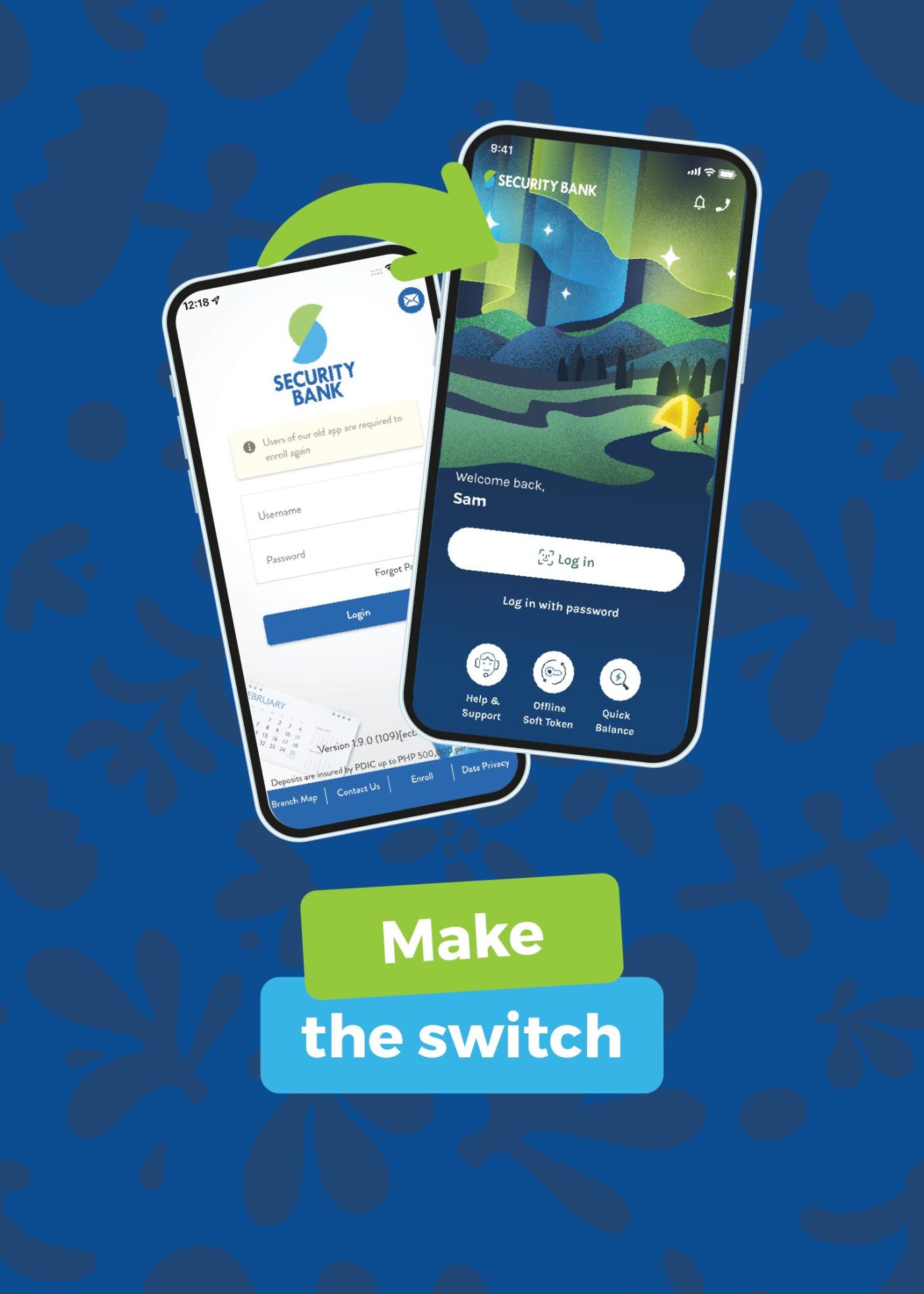
    To build its all-new app, Security Bank took customer feedback to heart and invested in a future-proof tech stack. The result? A more stable, secure, and seamless BetterBanking customer experience.

    Total tech stack upgrade

    The implementation of a full cloud-based architecture, powered by AWS, guarantees better reliability, especially during peak times like paydays. This upgrade not only enhances the platform’s stability but also fortifies its security, ensuring customer data is always protected.

    Enhanced user experience

    With features like auto-sync technology, customers can register with just one Security Bank account, and the app will automatically link all other accounts, cards, and investments. The fresh look and feel of the app, coupled with quicker access to balances and recent billers, make online banking more convenient than ever before.

    Rapid deployment of new features

    Customers can expect new additions and enhancements on a monthly basis, ensuring that the app continually evolves to meet their needs. This commitment to rapid innovation demonstrates the Bank’s dedication to providing the best possible banking experience.

    With these advancements, Security Bank has set a new standard in online banking, blending cutting-edge technology with customer-centric design to deliver unparalleled service and convenience.

    The all-new Security Bank app is available for download via the Apple App Store or Google Play Store. Just search for “Security Bank” and look for the sparkle on the top icon. To learn more, visit https://www.securitybank.com/apps/personal-banking/.

    Security Bank
    Share. Facebook Twitter Pinterest LinkedIn Tumblr Email
    PhilSTAR Tech Team

    The editorial team of PhilSTAR Tech.

    Related Posts

    Canon builds community through Creator Camp initiative

    July 21, 2026

    TikTok steps up efforts to label AI-generated videos

    July 20, 2026

    Filipinos are turning to Google AI Search for  buying decisions

    July 20, 2026

    Most Popular

    Government updates data rules for cloud and AI

    July 17, 20262 Mins Read

    Gaming industry veteran Benson Te shares blueprint for sustainable growth

    July 11, 20264 Mins Read

    Sony Philippines warns buyers against unauthorized camera resellers

    July 17, 20262 Mins Read

    Upgrading Your Entertainment Just Got More Rewarding with Unbeatable Offers on Samsung Vision AI TVs and Sound Devices 

    July 17, 20265 Mins Read

    GenAI used in hundreds of Netflix titles this year

    July 17, 20261 Min Read

    Filipinos are turning to Google AI Search for  buying decisions

    July 20, 20262 Mins Read

    Latest

    Canon builds community through Creator Camp initiative

    By PhilSTAR Tech TeamJuly 21, 20262 Mins Read

    Enterprises find balance between data protection and IT costs

    By Marlet SalazarJuly 21, 20262 Mins Read

    TikTok steps up efforts to label AI-generated videos

    By PhilSTAR Tech TeamJuly 20, 20263 Mins Read

    Filipinos are turning to Google AI Search for  buying decisions

    By Dawn SolanoJuly 20, 20262 Mins Read

    Facebook down as users report website outage

    By Dawn SolanoJuly 19, 20261 Min Read

    Sony Philippines warns buyers against unauthorized camera resellers

    By Dawn SolanoJuly 17, 20262 Mins Read
    Copyright © 2026 Philstar Tech | Powered by The Philippine STAR

    Type above and press Enter to search. Press Esc to cancel.