



To be able to control your AC anywhere, anytime is a boon especially in this new generation of young families who are hyper-aware of everything – home included. This Q4 I have been making rounds facilitating workshops and talks that delve into 5G connectivity, gigabit fiber, AI, and the Internet of Things. True enough, perhaps 10 years ago, home automation was a fringe technology only available to those who could afford it. With faster speeds, the introduction of smart plugs, and other smart appliances, it’s now common to have a whole ecosystem of smart devices managed from your app. In our household of four, we have roughly 20 connected devices. They range from robot vacuums to smart lights, smart plugs to smart TVs, and now even our air conditioning is smart. I’ve pretty much become an early adopter of the whole smart home system.
I was one of the first to test out Google Mesh WiFi with Google Assistant when it was released in the Philippines about a decade ago. I quickly became enamored with the technology, allowing me to automate my lights at night, run my robot vacuums while we sleep, and turn on my espresso machine in the morning. And now, for the first time, I’ve automated my air conditioning unit with Midea’s GenesisPro Inverter series.
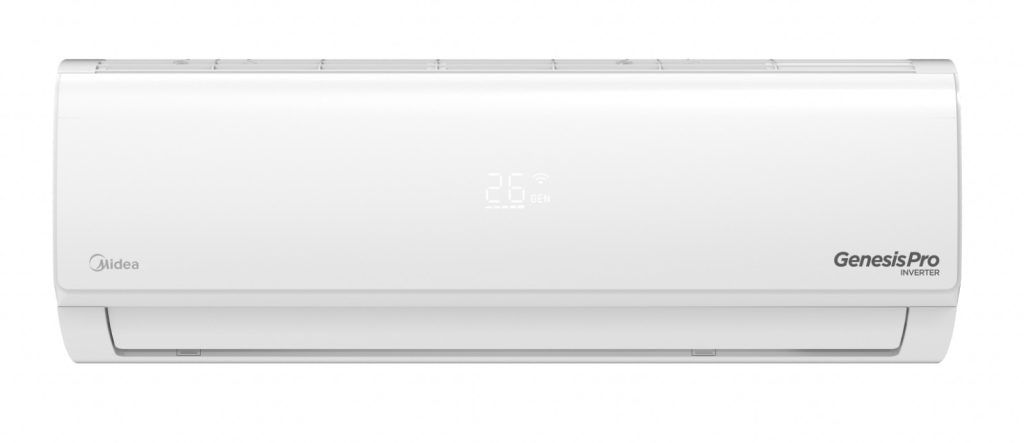
Like any other gadget nerd, I took to studying specs carefully. It just so happened that two of my air conditioning units were due for replacement because of failed motors and I was really considering Midea because it was globally recognized as a credible brand and that, in the Philippines, it is part of the Concepcion Group – of which I have other appliances under the conglomerate, making servicing easy as a one-stop-shop.
The Midea GenesisPro Inverter AC is a great option for consumers looking for an air conditioner that is both energy-efficient and easy to control. One of the best use cases for the GenesisPro is for people who want to be able to control their AC from anywhere, at any time. GenesisPro’s WiFi Smart Control feature allows users to control the AC using the Midea SmartHome app on their smartphone. This means that users can turn the AC on or off, adjust the temperature, and even set schedules, all from their phones. As someone with a rather elegant WiFi mesh setup at home (I have two providers running WiFi 5, 6, and even 7), it’s good to note that the device is not network dependent. That means I can control the app even when outside the home. Midea GenesisPro Inverter air conditioners use high-frequency compressor technology to generate a strong flow of cool air in as fast as 30 seconds. For my 2HP GenesisPro to cool the room, so we usually turn it on wirelessly right before finishing dinner so that the family is welcomed to a cool master’s bedroom for movie nights.
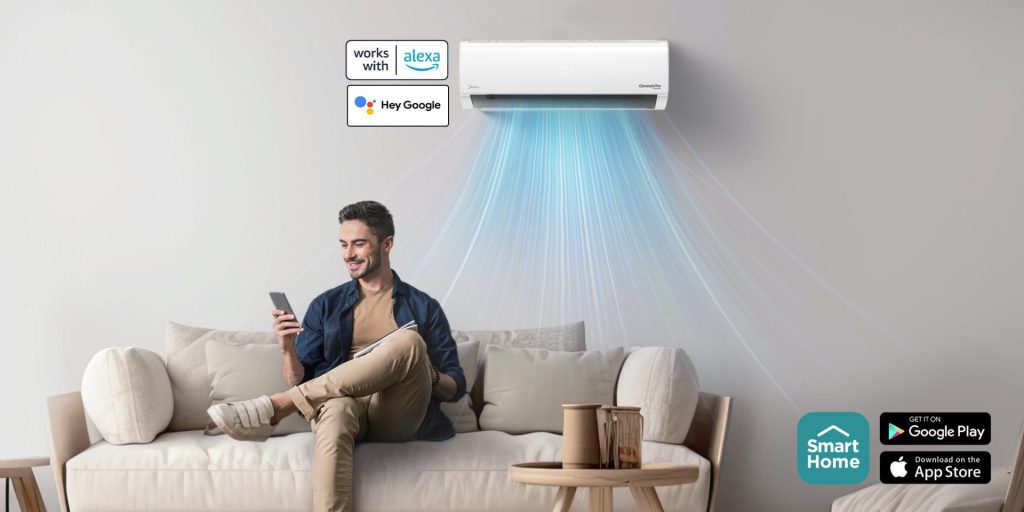
Another useful smart home feature is the Sleep Curve function on the SmartHome app. This allows me to adjust the temperature as a function of time. For instance, after three hours of sleep at 24 degrees, the temperature can auto adjust to 26 degrees so that the family doesn’t feel too cold as the evening gets cooler. I also have the AC automatically turn off at 5AM to save power.
Another great use case for the GenesisPro is for people who are looking for an energy-efficient AC. It has a 5-Star Energy Efficiency Rating, meaning it uses less energy than other ACs on the market. It also features Inverter Technology, which helps to further reduce energy consumption. For non-techies or even for those who may not know how to troubleshoot their AC unit, the SmartHome app comes with a Smart Diagnosis feature that scans the AC unit and displays corresponding error messages informing you what is wrong with the AC. This helps narrow down issues faster so the technician can immediately address the problem.

I guess I can say that there is a life before – and after having a smart air conditioner. In the past, misplacing the AC remote was the common detriment to not being able to enjoy cool air. There were other weird workarounds to this like installing an IR blaster and using 3rd party remotes, but it would be janky and lack functions. Today, as funny as it sounds, I have “The One Ring” that powers the entire home’s smart appliances, including the AC. No more woes about power consumption. No more anxiety about losing the AC controller somewhere at home. And I think at the end of the day, it is really time bought back for myself and the family. And that is the real ROI as you cannot put a price on convenience.
Stay on top of Midea’s latest campaigns and product releases by visiting www.midea.com/ph, following @mideaph on Instagram and on Tiktok @mideaphilippines, subscribing to Midea Philippines Official on YouTube, and liking @MideaPhilippines on Facebook.
