


Close Menu
Philstar Tech
    • Deals
    • Contact Us
    • About Us
    Philstar Tech
    • Home
    • All Post
    • News
      • Features
    • Tech @Life
    • Reviews
      • Fitness
      • Laptops
      • Mobility
      • Smartphones
      • Wearables
    • Opinion
    Philstar Tech
    Home » Security Bank’s all-new online retail app built from the ground up
    News

    Security Bank’s all-new online retail app built from the ground up

    PhilSTAR Tech TeamBy PhilSTAR Tech TeamDecember 4, 20242 Mins Read
    Facebook Twitter Pinterest LinkedIn Tumblr Email
    Share
    Facebook Twitter LinkedIn Pinterest Email

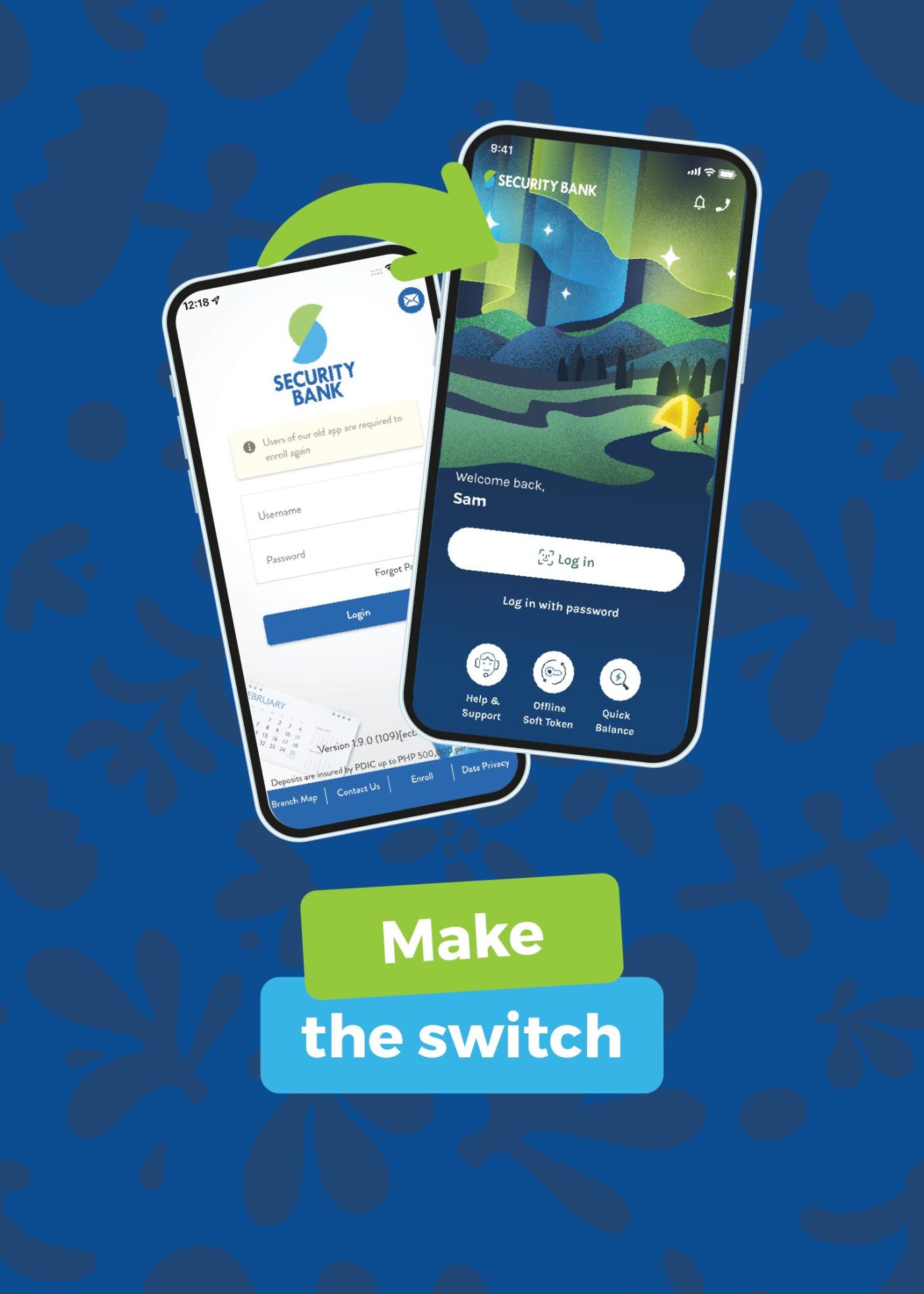
    To build its all-new app, Security Bank took customer feedback to heart and invested in a future-proof tech stack. The result? A more stable, secure, and seamless BetterBanking customer experience.

    Total tech stack upgrade

    The implementation of a full cloud-based architecture, powered by AWS, guarantees better reliability, especially during peak times like paydays. This upgrade not only enhances the platform’s stability but also fortifies its security, ensuring customer data is always protected.

    Enhanced user experience

    With features like auto-sync technology, customers can register with just one Security Bank account, and the app will automatically link all other accounts, cards, and investments. The fresh look and feel of the app, coupled with quicker access to balances and recent billers, make online banking more convenient than ever before.

    Rapid deployment of new features

    Customers can expect new additions and enhancements on a monthly basis, ensuring that the app continually evolves to meet their needs. This commitment to rapid innovation demonstrates the Bank’s dedication to providing the best possible banking experience.

    With these advancements, Security Bank has set a new standard in online banking, blending cutting-edge technology with customer-centric design to deliver unparalleled service and convenience.

    The all-new Security Bank app is available for download via the Apple App Store or Google Play Store. Just search for “Security Bank” and look for the sparkle on the top icon. To learn more, visit https://www.securitybank.com/apps/personal-banking/.

    Security Bank
    Share. Facebook Twitter Pinterest LinkedIn Tumblr Email
    PhilSTAR Tech Team

    The editorial team of PhilSTAR Tech.

    Related Posts

    Xiaomi unveils 10-gram Xiaomi Tag Bluetooth tracker

    February 24, 2026

    GCash turns M7 World Championship into nationwide fan experience

    February 23, 2026

    HUAWEI rolls out new devices that combine design and durability

    February 23, 2026

    Most Popular

    Messenger.com is ending, but your chats will continue

    February 17, 20262 Mins Read

    Here’s where you can officially buy the Nintendo Switch 2 in the Philippines (with 2 years warranty perks to match)

    July 8, 20253 Mins Read

    PH named host of MarketHub Asia 2027 Travel Summit

    February 19, 20262 Mins Read

    Worried about AI replacing you? Researchers say the stress has a name

    February 20, 20262 Mins Read

    RCBC enables first nationwide cardless withdrawals for GCash users

    January 27, 20262 Mins Read

    Service centers in the Philippines (National Capital Region)

    February 14, 20255 Mins Read

    Latest

    Xiaomi unveils 10-gram Xiaomi Tag Bluetooth tracker

    By Marlet SalazarFebruary 24, 20261 Min Read

    LG webOS TVs get new games for immersive play

    By PhilSTAR Tech TeamFebruary 23, 20262 Mins Read

    GCash turns M7 World Championship into nationwide fan experience

    By PhilSTAR Tech TeamFebruary 23, 20262 Mins Read

    HUAWEI rolls out new devices that combine design and durability

    By PhilSTAR Tech TeamFebruary 23, 20263 Mins Read

    Meta eyes 2026 return to wearables with AI watch

    By Dawn SolanoFebruary 23, 20261 Min Read

    Globe commits to network stability, wider reach, lower costs

    By Jianzen DeananeasFebruary 21, 20262 Mins Read
    Copyright © 2026 Philstar Tech | Powered by The Philippine STAR

    Type above and press Enter to search. Press Esc to cancel.