


Close Menu
Philstar Tech
    • Deals
    • Contact Us
    • About Us
    Philstar Tech
    • Home
    • All Post
    • News
      • Features
    • Tech @Life
    • Reviews
      • Fitness
      • Laptops
      • Mobility
      • Smartphones
      • Wearables
    • Opinion
    • Latest Issue
    Philstar Tech
    Home » Grab’s 3-Way Chat puts parents in the conversation during teen rides
    News

    Grab’s 3-Way Chat puts parents in the conversation during teen rides

    Dawn SolanoBy Dawn SolanoSeptember 8, 2026Updated:September 8, 20263 Mins Read
    Facebook Twitter Pinterest LinkedIn Tumblr Email
    Share
    Facebook Twitter LinkedIn Pinterest Email

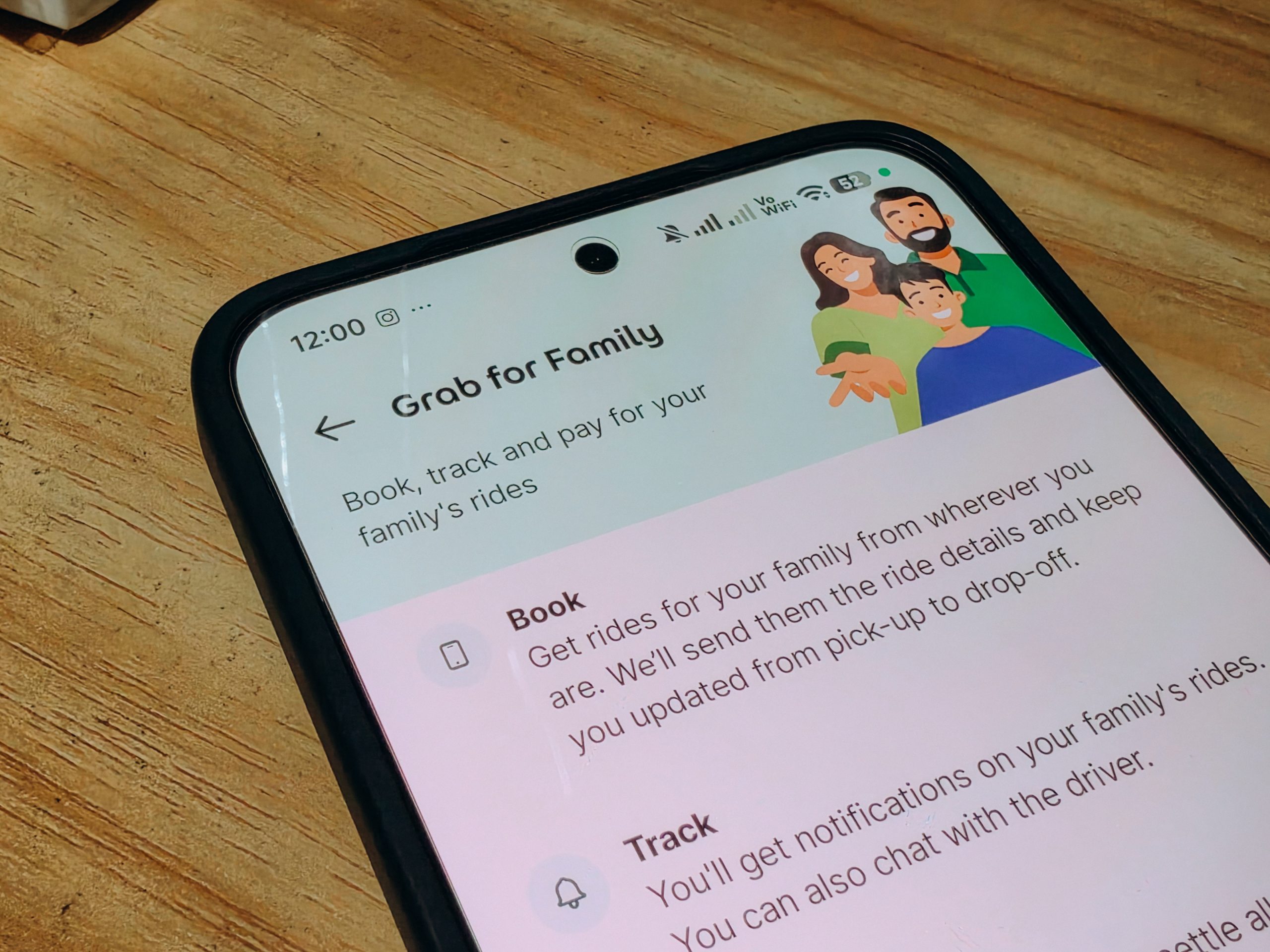
    Parents can now do more than track their teenagers’ rides through Grab’s new Grab for Family feature. Available to teens aged 13 to 17, the feature allows teenagers to book rides independently while giving parents and guardians real-time visibility into their journeys and access to safety tools throughout the trip.

    One of its features, 3-Way Chat, also allows parents to join the conversation between their teen and the driver during the ride.

    Here are the ways parents can stay informed when their teen is riding with Grab:

    1. Talk to their teen and the driver

    Through 3-Way Chat, parents can join the in-app conversation between their teen and the driver. It gives them a shared channel to clarify pickup points, landmarks and other trip details without having to move the conversation to another messaging platform.

    The feature can be particularly useful when a pickup location needs to be clarified or when the driver needs additional information from the passenger.

    2. Follow the ride in real time

    Parents can use Live Ride Tracking to follow their teen’s journey on a live map. Grab for Family also includes Trip Monitoring and automated trip notifications, allowing parents to stay updated without repeatedly calling or messaging their teen during the ride.

    3. Get updates at key points of the trip

    Parents can receive notifications when a driver is assigned, vehicle details become available, the passenger is picked up, the destination is reached and the trip is completed. The live map lets parents see the ride as it happens.

    4. Know when something doesn’t go as planned

    The monitoring tools can also alert parents about unexpected stops or route deviations during a journey. Grab may also check in with the passenger through in-app prompts to help confirm that they are safe.

    5. Verify the vehicle before the ride starts

    Ride PIN provides an additional verification step before the trip begins. The teen and driver must match a unique in-app code before proceeding, helping ensure that the passenger is getting into the correct vehicle.
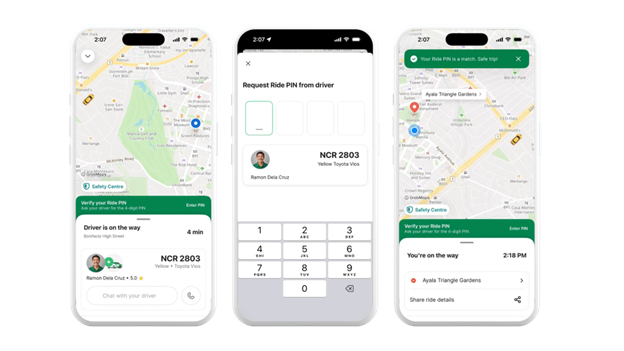
    Photo from Grab’s press release.

    6. Have an additional safety measure during the ride

    Grab for Family also includes AudioProtect, which enables encrypted audio recording on both the passenger’s and driver’s devices during a ride.

    Grab said the recordings remain encrypted and cannot be accessed by either party. They are only reviewed by Grab’s safety team when a formal report is submitted.

    Grab for Family can be activated through the existing Grab app, where parents can invite their teen using a mobile number or unique invitation link. Once the teen accepts, the parent can approve the request and activate the relevant safety features.

    Parents can also manage shared payment methods and adjust available safety settings based on their household’s needs once the accounts are linked.

    3-Way Chat GRAB Grab for Family Grab Philippines parenting ride-hailing Teen Safety transportation
    Share. Facebook Twitter Pinterest LinkedIn Tumblr Email
    Dawn Solano

    Content Producer for PhilSTAR Tech

    Related Posts

    Teacher readiness shapes success of classroom technology

    September 7, 2026

    Google offers Filipino students free AI plan for one year

    September 5, 2026

    Anker brings consumer tech brands under one name

    September 5, 2026

    Most Popular

    Dyson’s new toothbrush can see your teeth—and floss them, too

    September 3, 20262 Mins Read

    Acer unveils Predator Atlas 7 gaming handheld ahead of IFA 2026

    September 2, 20263 Mins Read

    Review: POCO F9 Ultra offers more than gaming power

    September 2, 20267 Mins Read

    Review: Is the HUAWEI MatePad Air the perfect tablet for your workflow?

    September 7, 20268 Mins Read

    Here’s where you can officially buy the Nintendo Switch 2 in the Philippines (with 2 years warranty perks to match)

    July 8, 20253 Mins Read

    Globe Business previews AI WAN featuring self-healing networks to drive autonomous IT operations

    September 2, 20263 Mins Read

    Latest

    Grab’s 3-Way Chat puts parents in the conversation during teen rides

    By Dawn SolanoSeptember 8, 20263 Mins Read

    Review: Is the HUAWEI MatePad Air the perfect tablet for your workflow?

    By Jianzen DeananeasSeptember 7, 20268 Mins Read

    When the code goes beyond the plastic box

    By Jianzen DeananeasSeptember 7, 20264 Mins Read

    Teacher readiness shapes success of classroom technology

    By Marlet SalazarSeptember 7, 20263 Mins Read

    Converge commits to earn trust of MSMEs with accessible technology

    By PhilSTAR Tech TeamSeptember 5, 20262 Mins Read

    Anker brings consumer tech brands under one name

    By PhilSTAR Tech TeamSeptember 5, 20262 Mins Read
    Copyright © 2026 Philstar Tech | Powered by The Philippine STAR

    Type above and press Enter to search. Press Esc to cancel.