


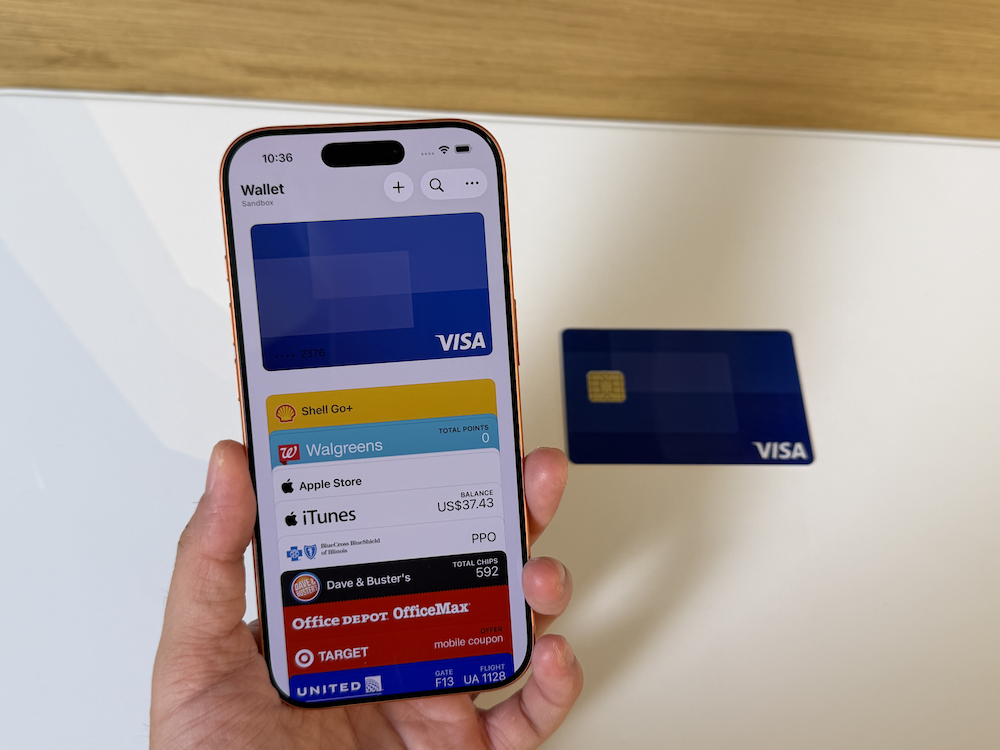
Another layer of digital convenience is now available to Filipinos with the local launch of Apple Pay.
Rather than functioning as a separate wallet that users have to load with money, Apple Pay allows eligible credit and debit cards to be added directly to the Wallet app. Users can then pay through their Apple devices while keeping the same bank account, credit limit, rewards, points, and card benefits connected to their cards.
The service allows users to make contactless payments using a compatible iPhone or Apple Watch. As well as be used be used to check out in supported apps and websites through an iPhone, iPad, or Mac.
At launch, support is available through Chinabank, GoTyme Bank, Metrobank, and UnionBank.
What Apple Pay can do right now
The most immediately useful feature is contactless payment in physical stores.
Once an eligible card has been added to Wallet, users can double-click the side button on an iPhone, authenticate using Face ID, Touch ID, or a passcode, and hold the top of the phone near a compatible payment terminal.
On Apple Watch, users can double-click the side button and hold the display near the reader.
There is no need to open a banking app, scan a QR code, or hand a physical card to the cashier. Apple Pay can be used wherever a participating merchant accepts contactless payments and supports the card and payment network connected to the user’s account.
The service also works for online purchases. When the Apple Pay button appears in a supported app or website, users can select a saved card, confirm their details, and authorize the transaction through their device.
This reduces the need to repeatedly enter card numbers, security codes, and addresses into checkout forms.
Apple Pay can also be used through supported browsers on other computers via a display of code on a website which can be scanned using an iPhone or iPad, allowing the payment to be confirmed through the Apple device.
Supported cards at launch
| Participating bank | Supported cards |
| Chinabank | Visa credit and debit cardsMastercard credit cards |
| GoTyme Bank | Visa credit and debit cards |
| Metrobank | Visa credit cardsMastercard credit and debit cards |
| UnionBank | Visa and Mastercard credit and debit cards |
Note that not every card issued by a participating bank is necessarily guaranteed to work immediately. Eligibility may still depend on the specific card, account type, or approval process of the issuing bank.
Customers of select banks may also be able to apply for a virtual card through their bank’s application or website. Once issued, the virtual card can be added to Apple Pay without waiting for a physical card to arrive.
Where Apple Pay works in the Philippines
Apple Pay is not limited to the merchants included in its launch announcement. It can generally be used at stores with compatible contactless payment terminals, provided the merchant also accepts the card and payment network connected to the user’s Apple Pay account.
The initial merchant lineup covers shopping, dining, entertainment, telecommunications, and groceries. Participating establishments highlighted at launch include Abenson, Anko, Ayala Malls, Ayala Malls Cinemas, Beyond the Box, Coach, Foot Locker, Globe, HOKA, Jollibee, Lush, Power Mac Center, Rustan’s, Shake Shack, Smart, The Loop, and WalterMart Supermarket.
For online purchases, Apple Pay is available through participating apps and websites, including Foodpanda, Jollibee, Rustan’s, and Shopee.
Maya Business will also begin enabling Apple Pay for more than 5,000 online merchants, further expanding the number of local checkout pages where the payment option may appear.
Users can look for the Apple Pay logo or contactless payment symbol at checkout. Availability may still vary depending on the merchant’s terminal, accepted card network, and issuing bank.
How to set up Apple Pay
Apple Pay is built into supported Apple devices, so there is no separate application to download.
On an iPhone, open the Wallet app, tap the Add Card button, and choose Debit or Credit Card. An eligible card can be added by holding it near the iPhone, scanning it with the camera, or entering the details manually.
The issuing bank may require additional verification before approving the card.
Cards can be added to an Apple Watch through the Watch app on the paired iPhone. On supported iPads and Macs, users can add cards through Wallet & Apple Pay in the device settings.
Security and privacy
Apple Pay does not provide merchants with the actual card number during a transaction. Instead, it uses a device-specific account number stored in the device’s Secure Element, together with a unique security code for each payment.
Purchases must also be authenticated using Face ID, Touch ID, or a device passcode. If a device is lost or stolen, payments can be suspended through Find My.
What comes next?
Apple Pay’s Philippine launch currently focuses on credit and debit card payments through participating banks. Its usefulness will likely grow as more banks, card issuers, payment processors, applications, websites, and merchants introduce support.
For now, customers should confirm with their bank whether their specific card is eligible before attempting to add it to Wallet.
